6/05/2015

Spring Smart Pop-ups Removal Step – Uninstall Unwanted Adware Quickly and Effectively

What is Spring Smart?


Spring Smart is an adware. Users may be attracted to its slogan"Get optimal web results with Spring Smart!" and download it from its homepage, or it can enter your computer bundling with other freeware’s installations. The questionable way of spreading proves that it is not a trustable plug-in.


Spring Smart has different versions for common browsers like Mozilla Firefox, Google Chrome and Internet Firefox. Unlike it description of a helpful extension, this adware aims to display numerous advertisements to users, and promote its sponsored sites, products and services. It generate pay-per-click revenue. Your clicking will benefit the developers for the increased web traffic. You should avoid click on the ads it offers because they are not trustworthy. Malware and more unwanted applications will enter your computer if you are careless about what you visit.

6/04/2015

Get Rid of Square Corner Quickly and Permanently - Unwanted Ads Removal Instruction

What is Square Corner?


Square Corner  is classified as an adware. This plugin claims to enhance your browsing experience by providing coupons and discounts, however it's obvious that the main purpose of it is to display ads to users and earn pay-per-click revenue. Square Corner has versions for  popular browsers like Internet Explorer, Mozilla Firefox and Google Chrome. Usually it comes to your PC by bundling into third party installations, or you may download it from its homepage yourself.


Ads by Square Corner keep coming every constantly, and it offers less help. On the contrary, this application will probably monitor your online activities, collects your search terms in order to deliver targeted ads to you. The ads are usually linked to questionable sites, most of them are even malicious sites with poor reputation. Malware will be installed automatically into your PC without your knowledge, they will mess up your system.

6/03/2015

Pop-ups of installey.in Removal Help - Eliminate Malicious Pop up Ads on IE/ Chrome / Firefox

Victim Description


“When I was browsing my favorite sites as usual, a page pops up suddenly. It says that my computer is infected with virus, and suggest me to call 1-8666-777-6120 for help. I begin to worry about my personal financial information, and use a scanner to check my computer. But it seems nothing wrong in the scan results. I got confused. Then I open my browser to go on searching, the pop-up came again. What’s the problem, should I called the offered number?”

Know about installey.in


Users should notice that this security alert is not real. This message is supported by an adware in your computer, your browser may get infected with it by visiting malicious sites, or it can be hidden in freeware installations and installed by users mistakenly. If you feel panic and call the offered number, you will be required to pay for the so-called tech-support sooner or later. What you should do is to stop installey.in pop-up from disturbing you permanently.

You can try the free scanner to know about the real security condition of your computer.  

6/02/2015

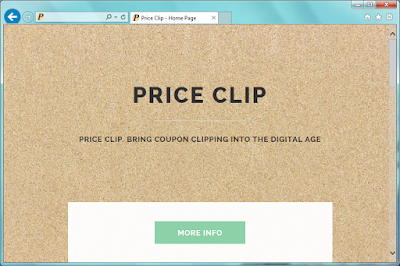
Price Clip - Coupon Provider Or Advertisements Promoter ? Guide to Stop Annoying Ads

Know About Price Clip


Price Clip  advertised itself as a useful helper in online shopping, by offering related coupons. However you should note that it is classified as an adware for reasons.

Scan your computer with recommended security tool.


The main task of this extension is to keep displaying advertisements to users and generates pay-per-click revenue. Users will see banners, boxes and pop-ups labeled with “Price Clip Ads” on the browser. These ads are unreliable that they may redirect you to dubious websites, mislead you to download some unwanted malware or even trojans.

It will probably monitor your traces of online activities. Your browsing habits like preferred sites and search keywords will be recorded and known by the third party for commercial purpose. As it is affecting your browser every now and then, you will find that your browser works slowly especially when you try to open a new page. Price Clip distributed using a questionable marketing ways. It is always bundled with other installations of freeware, users may install it inadvertently. You should try to get rit of it as soon as possible.

6/01/2015

Metal Maker Removal Help - Remove Adware Quickly and Permanently from IE/ Chrome / Firefox

What is Metal Maker


Metal Maker  is classified as an adware. It claims to improves your browsing experience by saving your money and time. It is promoted in popular browsers like Internet Explorer, Mozilla Firefox and Google Chrome. Usually it comes to your PC by bundling into third party installations, or you may download it from its homepage yourself.


Ads by Metal Maker keep coming every now and then. Instead of convenience, users feel frustrating because of the unwanted information. What's more, the ads are linked to questionable sites, most of them are even malicious sites with poor reputation. Malware will be installed automatically into your PC without your knowledge, they will mess up your system.

Remove Ads by DiscountyFrenz1.2 From Chrome/ Firefox/ IE Effectively - Completely Remove DiscountyFrenz1.2 With Simple Methods

When you are surfing online, "Ads by DiscountyFrenz1.2", "Brought by DiscountyFrenz1.2", "Powered by DiscountyFrenz1.2", and "DiscountyFrenz1.2 Ads" keep showing within the web page you are visiting? What is wrong with my computer? How to remove such pop-up ads? Is DiscountyFrenz1.2 a virus? Should I remove it? How to remove it? Read this post to know more about it and protect your PC from the latest computer viruses better.

What is DiscountyFrenz1.2 Actually?


DiscountyFrenz1.2, considered as a PUP or an adware, is an ad-supported program which usually appears as toolbar or browser extension within your web browsers like chrome, IE, Firefox. This adware usually secretly comes into the target computer along with freeware, especially those from unsafe sources. Once it manages to penetrate into your PC, it will bombard you with endless annoying in-text ads, banner, pop-under, or pop-up ads. There is no doubt that it is just an unreliable program made for marketing purposes. To win more users' clicks and visits, DiscountyFrenz1.2 will generate many personalized ads according to your browsing habits. As you can see, this adware has the potential to to expose your privacy to the public even to the hackers. Therefore, you should take actions to remove this adware from your computer as soon as possible.

Remove System-security-support.info Pop-ups From Chrome/ Firefox/ IE With Simple Steps - Fake Alert Pop-ups Removal Support


What is System-security-support.info?


System-security-support.info is considered as a malicious scam website which claims to offer the computer security help for PC users. However, you should not trust it because usually such pop-ups are generated by an adware or a potentially unwanted programs (PUP). So, you always receive such virus alert pop-ups from this domain because that you got adware infection on your computer. The pop-up window claims that there are potential threats with your computer and your computer may not be protected. To fix your computer problems, you should call the phone number 1-855-413-5002 promoted on this domain to get their so-called system support immediately. But you should not trust such pop-ups from System-security-support.info generated by a nasty adware and not call the phone promoted on this pop-up window because it is just a deception linked to tech support scam. If you do as the pop-up says, then you will not get any useful help but introduce many other computer threats to your PC unwittingly. And what you need to do instantly is that you should use a reputable and powerful anti-spyware application you trust most like SpyHunter to scan and detect your PC thoroughly for possible adware or PUPs hiding in your computer system.

The Screenshot of System-security-support.info: