Showing posts with label stop browser redirects. Show all posts

7/15/2015

Tunefanatic.com Hijacker Removal Tips - Guide to Deal with Browser Hijacker Easily

Introduction to tunefanatic.com


Tunefanatic.com had hijacked many users' homepages. Victims have to see some unwanted information as long as they open the browsers. And since this page offers limited search results, it is not an ideal page to be used as a default homepage. It is suggested to remove this hijacker in time.

Users have complained about these inconveniences:
  • The default homepages are modified to Tunefanatic.com and it is hard to reset.
  • This page use Yahoo search results, but the directing spends much time.
  • Search results are limited. You can see related ads instead of useful information.
  • Reloading the unwanted information makes browsing experience poor.
  • Redirection to untrustable sites happens a lot.
  • Unwanted plugins and toolbars are broght.


How to deal with this browser hijacker?

You can try to remove it by following the removal instruction, or use a removal tool to remove it automatically. For inexperienced users, a removal tool is much more recommended.

6/08/2015

Remove search.mymapsxp.com Hijacker Effectively - Get Rid of Browser Hijacker Step by Step

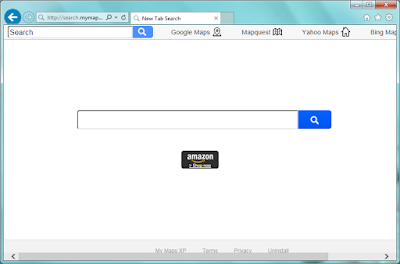
About search.mymapsxp.com


search.mymapsxp.com is a browser hijacker. Do not underestimate it for its simple design. It will redirect users to unwanted sites. It is usually found on common browsers like Internet Explorer, Google Chrome or Mozilla Firefox. Your browser probably got it by visit malicious pages on hacked sites, or it can be hidden in third party installations.


When your browser is hijacked by search.mymapsxp.com:
  • Your homepage and search engine are modified to search.mymapsxp.com, browser setting doesn’t work.
  • Search results are limited, users see sponsored links and irrelevant ads instead of useful information.
  • Browser works slowly, it takes much time to open a new page.
  • Due to the suspicious ads and links, more and more unwanted programs are brought without your knowledge.


Typical browser hijackers like search.mymapsxp.com will not offer you convenient searching experience. You are forced to see numerous ads of sponsored products with its fake search engine. The developers of it profits form the increased web traffic, and your search habits may be collected and made used of for commercial purpose. It is quite necessary to remove this hijacker as quickly as you can.

5/29/2015

Efficient Ways to Remove MyV9.com Hijacking - Eliminate Browser Hijackers From IE / Chrome / Firefox

What is MyV9.com 


MyV9.com is a malicious domain. It pretends to be a normal search engine, but users should note that it is a browser hijacker, which will redirect users to unwanted sites. It is usually found on common browsers like Internet Explorer, Google Chrome or Mozilla Firefox. Your browser probably got it by visit malicious pages on hacked sites, or it can be hidden in third party installations.


As a typical browser hijacker, MyV9.com will not offer you convenient searching experience. You are forced to see numerous ads of sponsored products with its fake search engine. The developers of it profits form the increased web traffic, and your search habits may be collected and made used of for commercial purpose. It is quite necessary to remove this hijacker as quickly as you can.