Showing posts with label fix hijacked browser. Show all posts

11/24/2015

Effective Guide to Remove Search.easysportsaccess.com Hijacker

What is Search.easysportsaccess.com


Search.easysportsaccess.com is a search engine, which is brought by a PUP EasySportsAccess. This page has an interesting design that users may want to keep it on their browsers as a normal search engine. However those who prefer standard search page like Google and Bing may have tried to remove it but finally failed. Users complain about these symptoms when they use the infected browsers:

11/10/2015

Redirected by Esurf.biz All the Time? - Guide to Get Rid of it Easily

Know about Esurf.biz Hijacker 


Esurf.biz looks like a very normal website as Google or Bing, however it is classified as a hijacker for reasons. Once it gets installed on your web browsers, Esurf.biz will modify the settings of internet browsers to replace your homepage and search engine, your browsing will be redirected to unwanted sites every now and then.
Those redirects always have a lot of ads. If you pay no attention on clicking those commercial ads on the page you are taken to, other adware or malware programs can be installed without asking for permission.

10/14/2015

Get Rid of Topsearchsite.net Hijacker Step by Step

Is your browser hijacked by topsearchsite.net? 
Did you try to remove it but failed?
Read this blog and try to get rid of this annoying hijacker right now.

Information of topsearchsite.net

Topsearchsite.net is a browser hijacker, it usually comes to users' computer by malicious modifications to the browsers. Many users found the hijacker came after they installed some freeware. That's because the freeware can automatically modify your browser settings secretly. 
Topsearchsite.net can install on any browsers such as Google Chrome, Mozilla Firefox, Microsoft Internet Explorer, and Apple Safari. 

Actually the topsearchsite.net and its related applications, both are designed by cyber crime to get financial advantages for themselves but many users have found these things are of no use for them. To protect your private information and to keep your system safe and fast, we recommend immediate removal of topsearchsite.net virus.


9/30/2015

vHomepage.com Hijacker Removal Tips - Guide to Stop Annoying Redirects

What is vHomepage.com


vHomepage.com looks convenient to computer green hands because it contain entries to some SNS pages like Facebook and Instagram. However when it comes to your browsers as a browser hijacker, you will surely notice its negative traits:
  • vHomepage.com will be locked as your default homepage.
  • It offers Google search results, while you can't use Google as homepage directly.  
  • The search results can be redirected to irrelevant sites.
  • Your browsers can have worse performance like freeze and stop responding.
It is recommended to use efficient search engines instead of vHomepage.com.

9/09/2015

Ray-search.com Takes Place of Your Homepage? - Remove Browser Hijacker Easily

What is ray-search.com


Ray-search.com looks like a toolbar more than a search engine. When this page occupies your homepage, you can only see a search box and few shortcuts to some common sites. However, you should not underestimate this browser hijacker, even seems simple and tidy, this page brings troubles all the same.
When your IE, Chrome and Firefox are hijacked by this hijacker, you will see this page every time you run the browsers, instead of your preferred pages. It may contain commercials ads on it, which are promoting some dubious tools. Yes, this hijacker never come along. Related toolbars and ads will also come without your invitation, and they are good at running your browsing experience.The search box of it will lead you to Yahoo search results, which are inefficient because the information you get will be full of ads and sponsor links. The ads and the suspicious will also take every chance to promote related products and services. They will only make your browsers work slower and slower.
In a word, you need to take actions to remove the hijacker and other related threats in your computer. Try the recommended removal tool or the removal instruction below:

8/28/2015

mystart.incredibar.com Hijacker Removal Help - Repair Your Browser

What is mystart.incredibar.com

Mystart.incredibar.com may takes place of your default homepage without your permission. This browser hijacker has many harmful traits that you need to know:

  • It locks your default homepage as mystart.incredibar.com and it is hard to reset.
  • It offers a box ad on the center of the page, which is linked to a dubious site.
  • It use MyStart search engine, which provides poor search results. 
  • It added suspicious sites to your Bookmarks and Favorite folder.
  • It brings other unwanted plugins and toolbars.


Do not hesitate to remove this hijacker from your browsers, you deserve a better search engine like Google or Bing.


8/24/2015

Kijojo.com Hijacker Removal Instruction - Guide to Rescue Your Hijacked Browsers

What is Kijojo.com


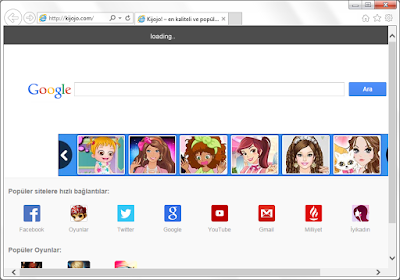
Kijojo.com is complained about hijacking users' Firefox, Chrome and IE and other popular browsers. It has some shortcuts on it so that users can be easily redirected to different sites. This hijacker is always brought by software bundle, users who install low-quality software get this page as their default homepage automatically. Malware and trojans are also responsible for the modifications. This page is not suitable to be a default homepage, not only because of its messy design, but also for the poor search results it offers.

8/06/2015

Secure-surf.com Removal Instruction - Helpful Tips to Deal with Browser Hijacker

Have you seen these problems? 

  1. Secure-surf.com has taken place of your default homepage.
  2. Browsers setting are modified. Strange site are added to bookmarks.
  3. Unwanted toolbars and plugins are brought on your browser without permission.
  4. Browser works sluggishly, sometimes it freezes.
These are symptoms of a hijacker infection.

 Secure-surf.com Introduction 


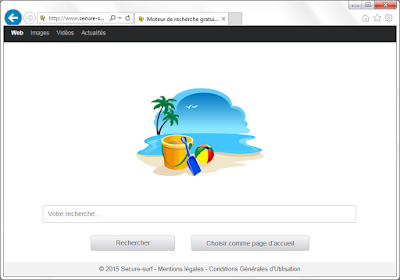
Secure-surf.com has a simple design but you should not underestimate the possible risks it brings. This search engine offers limited search results. Advertisements and other sponsor information are shown instead of helpful results. It is also known that this hijacker may collect users' recent search terms and deliver targeted ads. It is not safe to keep this page since it may cause personal information leaked out.

7/31/2015

Search.secure-dm.com Hijacker - How to Reset Your Browser Effectively

What is search.secure-dm.com

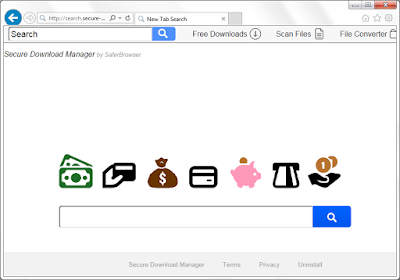
Search.secure-dm.com look funny. However when it takes place of your default homepage, things seem quite troubled.


Common symptoms of Search.secure-dm.com hijacking

  1. Search.secure-dm.com is locked one your browser, you have to use its search engine.
  2. Search results by this search engine are quite helpless. They are full of ads. 
  3. Shortcuts on this page are linked to questionable software center.
  4. The ads are all promoting suspicious programs and products.
  5. Unwanted toolbars and plugins are brought on your browser without permission.
  6. Strange sites are added to your browsers' Bookmarks and Favorite.
Search.secure-dm.com hijacker is annoying. It can be brought by freeware you had downloaded, or malicious codes from spam mails. Do not hesitate to get rid of it.

7/30/2015

Safesearch.net Hijacker Removal Tips - Repair Your Infected Browsers Easily

What is Safesearch.net

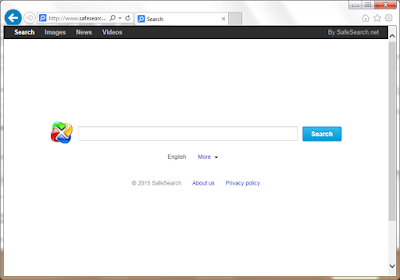
Safesearch.net may replace your browsers' default homepages. Some users don't care because it seems a simple search engine like Google and Bing. However, there are several reasons for you to remove this browser hijacker.


When your browser is hijacked by this page, you will see:

  1. Your browsers' default homepage is locked as Safesearch.net and it is hard to reset.
  2. This search engine offers poor search results, they contain advertisements and sponsored links.
  3. The ads are linked to dubious sites. Users may get unwanted programs downloaded.
  4. The hijacking comes together with malicious toolbars and plugins.
  5. Strange sites are added to your browsers' Bookmarks and Favorite.


Safesearch.net is definitely not an ideal page to be used as a default homepage. You are advised to use other efficient search engines.

7/23/2015

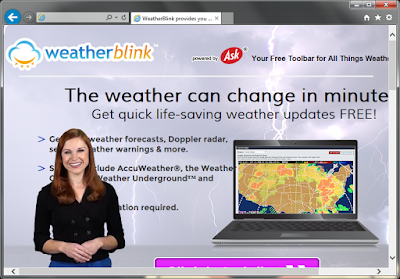
WeatherBlink Removal Tips - Guide to Get Rid of Potential Unwanted Program

What is WeatherBlink


WeatherBlink looks like a useful plugin because it claims to offer local weather forecast. It has versions for popular browsers like Google Chrome, Internet Explorer and Mozilla Firefox. It probably comes to your PC bundled with third party installations, or you may download it on its official sites, attracted by its ads.


However users should notice that this application is classified as a PUP (Potential Unwanted Program ) because of the following reasons:
  • Your default homepage would be modified to home.tb.ask.com 
  • The default search engine would be reset to search.tb.ask.com. 
  • Advertisements keep coming. 
  • You are redirected to dubious websites sometimes. 
  • Random page is turned into hyperlink. 
  • Your browser works sluggishly. 
  • Unwanted applications are brought into your computer without your knowledge.